Pricing
An expensive plan that sells the middle one
Put the highest price first so the target plan is judged against a larger anchor.
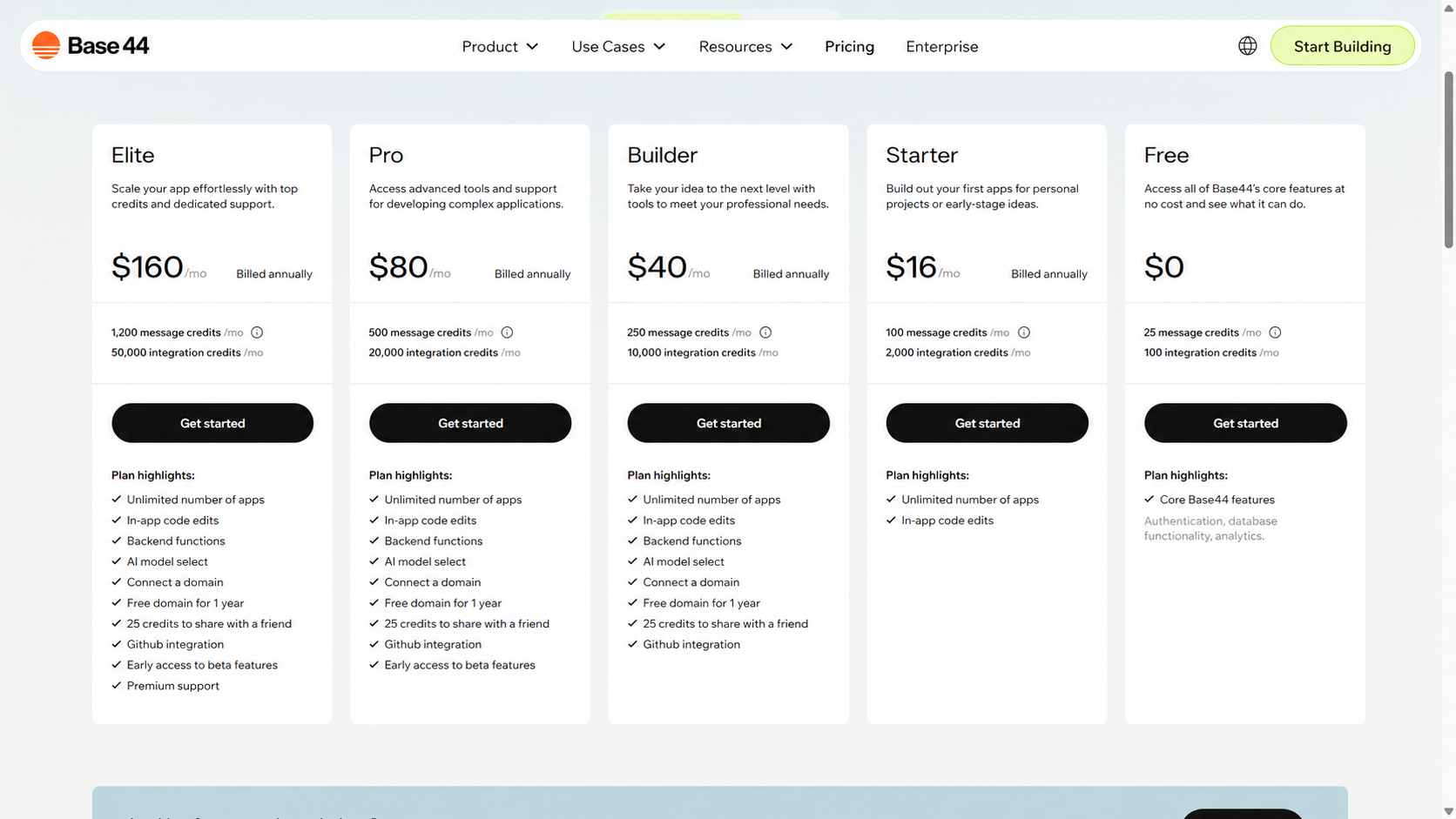
Example: Base44 shows its plans from the most expensive to the free one: Elite for $160, Pro for $80, Builder for $40, Starter for $16, and Free for $0.
Pricing pages usually start with the free or the cheapest plan.
Free → Starter → Pro → Business
This order feels familiar. The user first sees an easy entry point, then more expensive options.
The problem is that the first price becomes the point of comparison.
If a person first sees $0 or $16, the $40 plan already feels like a noticeable upgrade. $80 feels even heavier.
You can test the reverse order:
Business → Pro → Starter → Free
In this case, the user first sees the upper price boundary. After $160, the $80, $40, and $16 plans feel more reasonable.
This is connected to the anchoring effect: the first noticeable number influences how a person evaluates the next ones.
If the target plan is in the middle, this order can help. For example, a $40 plan looks lighter after $160 and $80 than after a free plan.